How to Use Toolis AI
1. Connect Your API Key
Enter your API key and click "Connect" to authenticate with the API service. Create an API key here if you don't have one
2. Fill in Article Details
Enter your article title idea, focus keyword, and any additional information you want to include.
3. Customize Settings
Select the language, image style, and adjust the AI temperature for your preferred level of creativity.
4. Generate Article
Click the "Generate" button and wait for the AI to create your article based on your inputs.
5. Review and Edit
Review the generated article and make any necessary edits or refinements before using it.
6. Copy or Export
Copy the article to your clipboard or export it for use in your website, blog, or content platform.
About Toolis AI
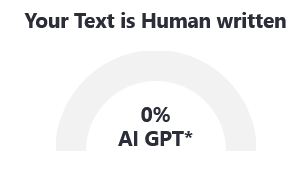
Toolis AI is a powerful AI-powered tool designed to help content creators, marketers, bloggers, and businesses generate high-quality, humanistic, and SEO-friendly articles in seconds.
Powered by Google's cutting-edge Gemini API, Toolis AI creates content that sounds natural and human-written while incorporating SEO best practices to help your content rank higher in search results.
Our tool saves you time and effort by automating the content creation process, allowing you to focus on other important aspects of your business while still maintaining a consistent content schedule.
Disclaimer
API Key Security: Toolis AI does not store your Gemini API key on our servers. It is only used for the duration of your session to make API calls directly from your browser to Google's servers.
Content Responsibility: While Toolis AI strives to generate accurate and high-quality content, we recommend reviewing and fact-checking all generated articles before publishing. The responsibility for the published content remains with the user.
AI Limitations: As an AI-based tool, Toolis AI may occasionally generate content that contains inaccuracies or biases. Always review and edit the generated content to ensure it meets your standards and requirements.
Usage Guidelines: Please use Toolis AI responsibly and in accordance with Google's API usage policies. Do not use the tool to generate harmful, misleading, or unethical content.